
Can you use WhatsApp in China? If you rely on it for everyday conversations, it’s a question worth asking before your trip. Staying in touch may take a little more planning than it does in other destinations.
Whether you want to let family know you’ve landed or share moments from your travels, having a dependable way to communicate can make the journey feel easier.
This guide will help you understand what to expect and choose a suitable way to stay connected. For mobile data that supports WhatsApp in mainland China, choose an iRoamly China eSIM and stay in touch throughout your trip.

Does WhatsApp Work in China?
WhatsApp generally does not work reliably on ordinary internet connections in mainland China.
On hotel or airport Wi-Fi and local Chinese SIM data, messages may remain on “sending,” media may fail to download, and calls may not connect.
Occasionally sending a text does not mean all features are available. Access can vary by network, location, and time, so it is worth preparing a suitable connection before your trip.
Why Is WhatsApp Restricted in China?
WhatsApp is restricted as part of mainland China’s broader controls on access to international online services, commonly known as the Great Firewall.
Facebook, YouTube, X, and Google services are also affected by these controls.
Because the restrictions apply to network access, installing WhatsApp before your trip does not make it accessible once you arrive.
The app may remain on your phone while being unable to connect through ordinary mainland internet connections.

WhatsApp in Hong Kong and Macau
WhatsApp generally works normally in Hong Kong and Macau, where the internet environments differ from mainland China. Travelers can usually send messages and make calls through local mobile data or Wi-Fi.
If you travel from Hong Kong to Shenzhen, for example, access may change once your phone switches to a mainland connection. Keep this distinction in mind when planning a trip that includes both areas.

How Your Internet Connection Changes WhatsApp Access
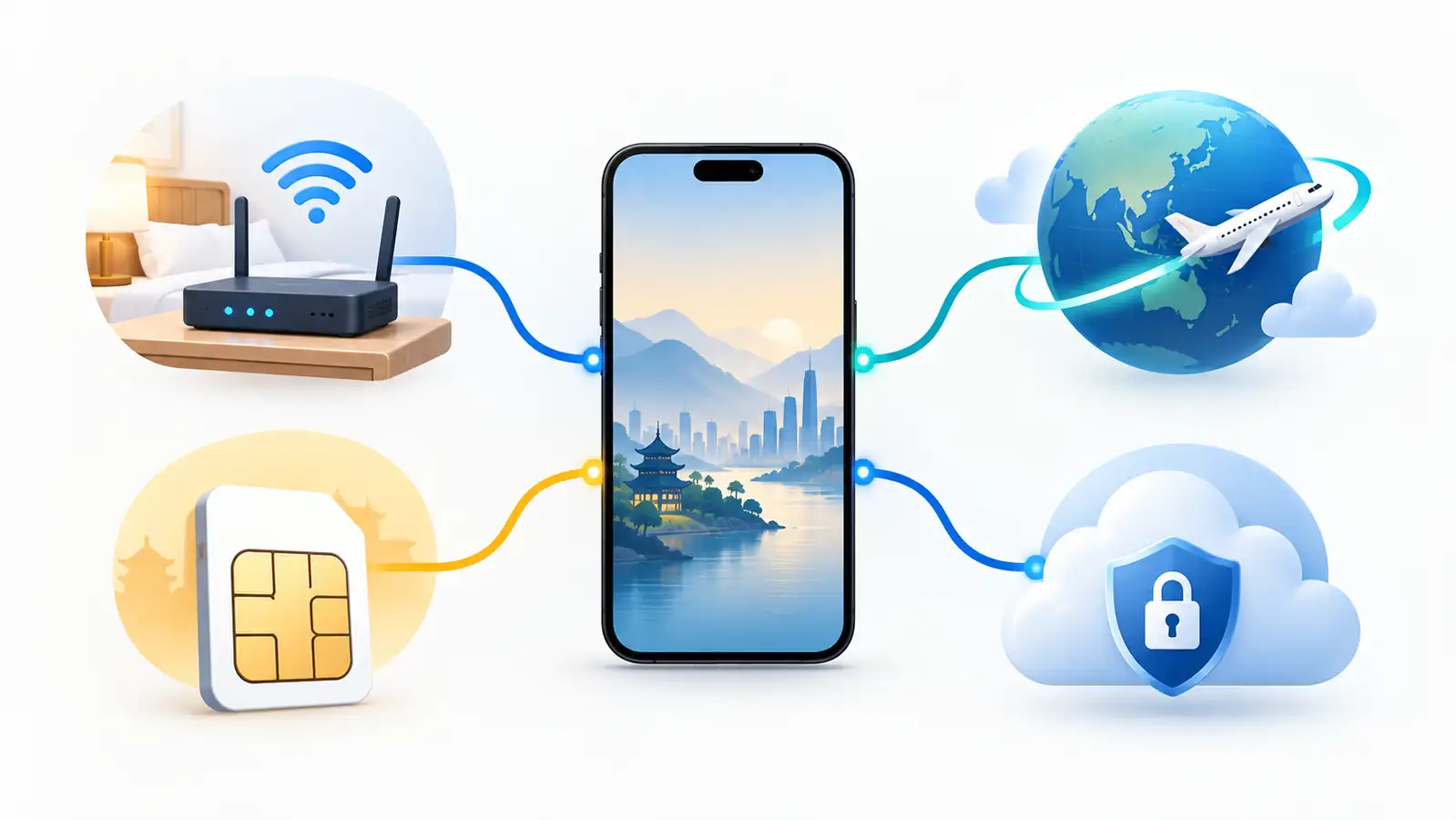
When planning your internet access for China, you’ll likely come across local SIM cards, travel eSIMs, international roaming, and Wi-Fi.
To understand the differences between them, it helps to look at how each carries your data—through mainland networks or through infrastructure overseas.
Connections that use mainland routes
Hotel, airport, café, and public Wi-Fi normally use mainland internet routes. A local Chinese SIM does too. These connections can be fast for accessible domestic services while WhatsApp remains blocked or unreliable.
Connections that may use overseas routes
International roaming and some travel eSIM plans can send data through infrastructure outside mainland China.
That routing may make WhatsApp reachable, but it is provider- and plan-specific. A VPN on a local connection is another possible route, with greater reliability and regulatory uncertainty.
Connection | Expected WhatsApp access | What to confirm |
|---|---|---|
Hotel, airport, café, or other mainland Wi-Fi | Usually blocked or unreliable without a separate working access method | Whether you already have a lawful, functioning VPN or another approved route |
Local Chinese SIM | Usually subject to the same mainland filtering | Do not assume buying local data will restore WhatsApp |
International roaming from your home carrier | May work when traffic is routed through the foreign carrier | China coverage, prices, speed limits, routing, and hotspot rules |
Travel eSIM | May work if the specific China plan routes data outside mainland filtering | Explicit provider confirmation for WhatsApp in mainland China; device and network compatibility |
Local connection plus VPN | May work, but reliability changes and no provider is guaranteed | Current China support, installation before travel, and applicable local rules |
Key point: “Travel eSIM” describes a digital SIM format, not a guaranteed firewall-bypassing feature. Check the routing and mainland-app-access information for the exact plan you intend to purchase.
Ways to Use WhatsApp in Mainland China
Travel eSIMs, international roaming, and VPNs offer different ways to access WhatsApp in mainland China. Compare their setup requirements, costs, and limitations to find an option that suits your trip.
1. Use a travel eSIM with suitable routing
A travel eSIM is a convenient way to get online without replacing your physical SIM card.
For WhatsApp access during your trip, iRoamly offers travel data plans that support the app in mainland China, helping you stay in touch through your existing account.
Install the eSIM on a compatible, unlocked phone before departure, following the installation and activation instructions. When ready to use it, select the eSIM for mobile data and enable data roaming as instructed.
Best for: Travelers who want mobile data immediately after landing without collecting a physical SIM.
Check first: Phone compatibility, carrier lock status, mainland coverage, traffic routing, activation timing, allowance, hotspot support, and the provider’s refund policy.
Limit: Many travel eSIMs are data-only. They do not give you a new voice number, and they do not automatically guarantee access to every blocked service.

The app normally keeps your existing WhatsApp account and number because WhatsApp is tied to the number used for registration, not to whichever SIM currently supplies data.
Do not choose “change number” in WhatsApp merely because you installed a travel eSIM.
2. Use international roaming
International roaming lets you use your existing SIM card and home carrier account while traveling. Some carriers route roaming data through their overseas networks, which may allow WhatsApp to work in mainland China without an additional app.
Before departure, ask your carrier specifically whether its China roaming service supports WhatsApp. If it does, purchase a suitable roaming package and follow the carrier’s instructions to enable it.
Best for: Travelers who prefer to use their existing mobile plan or whose carrier offers an affordable China roaming package.
Check first: WhatsApp access, China coverage, daily fees, high-speed data allowance, speed reductions, hotspot rules, and voice and SMS charges.
Limitations: Roaming can be expensive, especially outside an included package. WhatsApp access also depends on the carrier’s routing, so China roaming coverage alone does not guarantee it will work.
Keeping your home SIM active can also help you receive verification texts. Confirm that incoming SMS is supported and whether any charges apply.
3. Use a working VPN on a local connection
A VPN can connect your device to an overseas server through local Wi-Fi or mobile data, potentially allowing access to WhatsApp. However, availability in China varies, and a service that works on one network may fail on another.
If you choose this method, install the app before departure, confirm current China support with the provider, and save setup instructions offline. Use services permitted for your situation and follow applicable local rules.
Best for: Travelers who already have a permitted VPN with confirmed China support and want to use it with local Wi-Fi or mobile data.
Check first: Current China availability, device support, setup requirements, subscription costs, customer support, and applicable regulations.
Limitations: Connections can be unstable or unavailable, and no provider can guarantee uninterrupted access. A VPN also requires an underlying Wi-Fi or mobile data connection.

When choosing a VPN for China, check its current availability, setup requirements, and support options before departure. Keep a backup connection ready in case the VPN becomes unavailable during your trip.
Set Up WhatsApp Before You Travel
Preparation is easier while you still have normal access to app stores, provider websites, your home SIM, and familiar support channels. Complete these steps before your flight:
Prepare your WhatsApp account
Install and update WhatsApp. Open it, send a message, download an image, and make a short call so you know the account works.
Keep your registered number active. If you may need a login or security code, make sure your home SIM can receive SMS abroad and that roaming for text messages is enabled where necessary.
Review linked devices. Confirm any laptop or tablet you need is already linked, and sign out devices you do not recognize.

Prepare data and backup access
Check the phone. Confirm that it is carrier-unlocked, supports the bands used at your destination, and supports eSIM if that is your plan.
Install the data solution early. Add the eSIM profile or approved VPN before departure, but follow the provider’s activation instructions so the plan does not start too soon.
Save support details offline. Keep screenshots or downloaded instructions for APN settings, eSIM installation, account login, and provider support.
Create a backup channel. Exchange a WeChat ID, ordinary phone number, email address, or hotel contact before relying on WhatsApp for a meetup.
Download essentials. Save hotel addresses, tickets, maps, emergency details, and key translations for offline use.

WhatsApp Alternatives in China
Use WeChat for local contacts
WeChat (Weixin) is the most useful local backup because it is widely used for messaging, voice and video calls, group chats, service accounts, and many everyday functions.
Ask local contacts, drivers, guides, and hotels which account or QR code they use. Registration or some features can require additional verification, so set it up early rather than during an urgent meetup.

Keep a second backup channel
Other backups serve narrower purposes:
SMS and ordinary calls: Useful for verification and direct contact when your home or local plan supports them; check roaming charges and whether the recipient can receive international messages.
iMessage: Can be a convenient backup between Apple users, but feature availability and routing can vary; do not make it your only contingency.
Email: Useful for non-urgent hotel, airline, or work communication if the relevant mail service is reachable on your connection.

Do not assume Telegram, Skype, Signal, or another foreign messaging app will work simply because it is not WhatsApp. Check the current status of the exact service and connection you plan to use.
Troubleshoot WhatsApp Connection Problems
Start by identifying whether the problem is the internet route, the eSIM or SIM configuration, or the WhatsApp account itself. Randomly reinstalling the app can make matters worse if you cannot receive a new verification code.
Messages remain on “sending” or media will not download
Open an unrelated website to confirm that mobile data or Wi-Fi is actually working.
If you are on hotel Wi-Fi or a local SIM, switch to the foreign-routed eSIM or roaming line you prepared.
For an eSIM, confirm that it is selected for mobile data, data roaming is enabled if required, and the provider’s APN is correct.
Turn airplane mode on briefly, turn it off, and allow the phone to register again.
If you rely on a permitted VPN, follow the provider’s current support instructions instead of repeatedly trying random servers.
Text works but calls, voice notes, or photos fail
This usually means the connection is partial or unstable, not that WhatsApp is fully available. Test a different prepared data path.
Also check whether a low-data mode, VPN setting, hotel Wi-Fi login page, or plan speed cap is interrupting larger transfers.
You cannot receive a verification code
WhatsApp registration codes normally go to the phone number registered with the account. Keep that SIM active, confirm it can receive roaming SMS or calls, and avoid repeated code requests that trigger a waiting period.
If the app is already working, do not reinstall it unless WhatsApp support or a documented recovery step requires that action.
The problem still is not resolved
Contact the data or VPN provider through the support channel you saved before travel. Tell them your city, phone model, active SIM/eSIM, connection type, and whether ordinary websites load.
In the meantime, use the backup contact method you arranged rather than missing a pickup, booking, or urgent message.

FAQ
1. Should I remove my home SIM after installing an eSIM?
Usually not. Keep your home SIM active for verification texts and use the travel eSIM for data. Disable data roaming on your home line and automatic data switching to avoid unexpected charges.
2. Will WhatsApp switch automatically between Wi-Fi and mobile data?
WhatsApp follows your phone’s network connection. If Wi-Fi blocks WhatsApp but still provides internet access, your phone may not switch automatically. Turn off Wi-Fi to use your eSIM or roaming data.
3. Can Americans use WeChat?
Yes. WeChat is available to international users, including Americans, and can be used to communicate with contacts in China.
4. Is Netflix forbidden in China?
Netflix does not officially offer its streaming service in mainland China. This is a service-availability issue, rather than simply a ban on having the app installed.
5. What social media is allowed in China?
WeChat, Weibo, Xiaohongshu, and Douyin are widely used in mainland China, subject to local content rules.
Conclusion
Using WhatsApp in mainland China takes some preparation, but staying in touch is possible with a suitable connection.
Travel eSIMs, international roaming, and working VPNs offer different options depending on your device, budget, and needs.
Before departure, set up your chosen connection and keep your registered phone number available for verification. Prepare a backup contact method, such as WeChat or SMS, for times when WhatsApp is unavailable.
With these arrangements in place, you can spend less time dealing with connection problems and more time enjoying your trip while keeping family and friends updated.