iRoamly Travel Data Calculator
Plan your trip effortlessly with our travel data calculator to gauge daily or weekly data needs.
- Minutes a day0Estimated daily data usage0 GBEstimated weekly data usage0 GB
- Minutes a day0Estimated daily data usage0 GBEstimated weekly data usage0 GB
- Minutes a day0Estimated daily data usage0 GBEstimated weekly data usage0 GB
- Minutes a day0Estimated daily data usage0 GBEstimated weekly data usage0 GB
- Minutes a day0Estimated daily data usage0 GBEstimated weekly data usage0 GB
- Minutes a day0Estimated daily data usage0 GBEstimated weekly data usage0 GB
- Minutes a day0Estimated daily data usage0 GBEstimated weekly data usage0 GB
- Minutes a day0Estimated daily data usage0 GBEstimated weekly data usage0 GB
- Minutes a day0Estimated daily data usage0 GBEstimated weekly data usage0 GB
- Minutes a day0Estimated daily data usage0 GBEstimated weekly data usage0 GB
Total estimated data usage
Daily0 GB
Weekly0 GB
Monthly0 GB
Prepaid travel data starting at 1 GB
Step 1
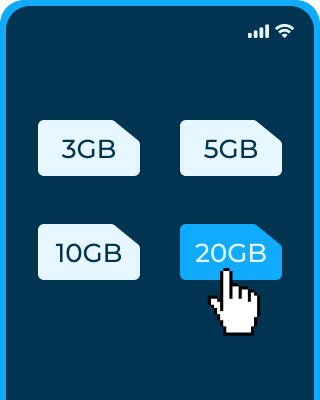
Choose Your Plan
Pick the iRoamly eSIM plan that fits your destination and travel needs.
Step 2

Install Your eSIM
Scan the QR code from your email and follow the instructions to add your eSIM.
Step 3


Activate & Connect
Activate according to your plan instructions and stay connected throughout your travels.
How much travel data do I need?
Email data usage varies. A simple text email may use around 10 KB, whereas larger emails with attachments or images can go up to 10 MB. On average, professionals receive 120 emails and send 40 emails daily. When traveling, it's estimated that opening an email uses 0.0003 GB of data. Thus, opening 100 emails daily for a week would consume about 0.2 GB from your data plan.